
Add-Ons: What Do You Think? Feedback, Please

Add-ons let you put extra bottles in your next Zamplebox Club box, on top of the ones picked for you. They sit alongside a few related tools, including swaps, a queue, favorites and never send, that give you more say over what arrives at your door.
Here’s how each one works, when to use which and how to share your feedback with us.
Short version: Sign in, open your next box and add extra bottles before it ships. Swap any pick you don’t want, queue bottles for future boxes, and use favorites and never send to steer your picks. Send your thoughts on add-ons to hello@zamplebox.com.
How the Zamplebox Club works
The Zamplebox Club is a monthly vape box curated to your taste. You choose a box, set your nicotine strength and flavor families, and rate the flavor notes you like. Each month you get a box picked for you, and every pick comes with a short reason, such as “because you rated custard high.”
Boxes include:
- 3 Bottle Box — three 30 ml bottles, $23.99 a month
- 6 Bottle Box — six 30 ml bottles, $33.99 a month
- 12 Bottle Box — twelve 30 ml bottles, $53.99 a month
- Salt Nic Box — four 30 ml bottles of nicotine salts, $39.99 a month
- Big Juice Box — four 100 ml+ bottles, $49.99 a month
- Disposable Vape Box — three disposable devices, $39.99 a month
Before you check out, you can preview your first box and swap or shuffle the bottles. After that, you manage everything from your club dashboard. The club is for adults 21 and older, ships to US addresses where state law allows and verifies age at checkout. For the full walkthrough, read how Zamplebox works.
How to add extras to your next box
Add-ons live in the club as “add to next box.” Here’s how to use them:
- Sign in and open your dashboard. Your next box shows the bottles picked for you and its ship date.
- Add the bottles you want. Add extras from your next box, or add a bottle straight from its product page while you’re signed in.
- Review before it ships. Extras sit in your next box alongside your regular picks. Changes need to be made before your box is finalized for shipping, so check your dashboard for the deadline and remove anything you’ve changed your mind about.
Extras come on top of your regular bottles, so they’re charged in addition to your box price. If you find yourself adding bottles most months, a bigger box may suit you better, since the price per bottle drops as the box gets bigger. If you’re going through a lot of juice, the Big Juice Box ships four bottles of 100 ml or more instead. You can change your box or nicotine strength from your dashboard.
Looking for ideas? Browse the vape juice shop and the flavor index, or start with a few dessert flavors:
-
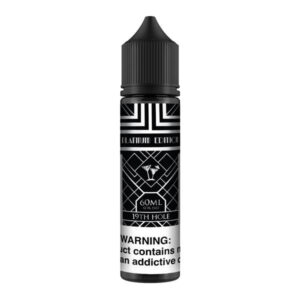
19th Hole - Black Label Platinum Edition
Price range: $8.99 through $29.99 Select options This product has multiple variants. The options may be chosen on the product page -
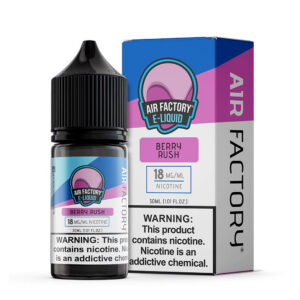
Air Factory Salt Berry Rush 30ml Nic Salt
$12.99 Select options This product has multiple variants. The options may be chosen on the product page -
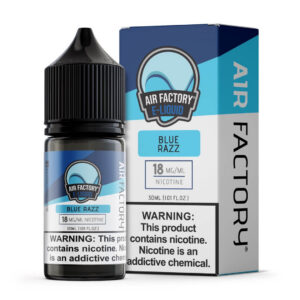
Air Factory Salt Blue Razz 30ml Nic Salt
$12.99 Select options This product has multiple variants. The options may be chosen on the product page
Add, swap or queue: which to use
Add-ons are one of several ways to shape your box. Here’s how they compare:
| Tool | What it does | Use it when |
|---|---|---|
| Add to next box | Puts an extra bottle in your next box, on top of your regular picks | You want more this month |
| Swap | Replaces one of your picks with a different bottle | A pick doesn’t appeal to you |
| Queue | Lines up specific bottles to be picked for upcoming boxes | You know what you want, but it can wait |
| Favorite | Marks a bottle you love | You’d be happy to see it again |
| Never send | Keeps a bottle out of your future boxes | You never want it again |
Swaps and the queue change which bottles fill your box. Add to next box is the only one that adds bottles.
The more you tell the club about your taste, the better your picks can match it. Rate flavor notes honestly, read the reason attached to each pick, and update your flavor profile if the reasons don’t sound like you. Our guide to perfecting your flavor profile walks you through it.
Other controls in your dashboard
- Skip a month when you’re well stocked.
- Pause your membership or change your box date.
- Ship now if you’re running low.
- Change your box or strength as your taste changes.
- Update your card or address whenever you need to.
- Cancel anytime, with no fees.
Tell us what you think
So, what do you think of add-ons? We’d like to hear about:
- Bottles or flavors you’d like to add to your box
- How easy it is to find, add and remove extras
- Whether swaps and the queue work the way you expect
- Anything that would make your monthly box better
Email us at hello@zamplebox.com or visit our help desk. Rating the bottles from your past boxes in your dashboard also helps fine-tune your future picks. For order or account questions, start at our support page.
Common questions
Do add-ons cost extra?
Yes. Extras are added on top of the bottles in your plan, so they’re charged in addition to your box price. You can review them in your next box and remove them before the box is finalized for shipping.
What’s the difference between adding a bottle and queueing it?
Adding puts an extra bottle in your very next box. Queueing lines a bottle up to be picked for an upcoming box as one of your regular bottles.
Do I have to add anything?
No. Add-ons are optional. Your box is curated to your flavor profile either way, and you can swap any bottle before it ships.
Can I skip or cancel?
Yes. You can skip a month, pause or cancel anytime from your dashboard, with no cancellation fees.
WARNING: This product contains nicotine. Nicotine is an addictive chemical. For adults 21+ only.